
how to license a laravel application
Licensing a Laravel app involves creating a system to validate keys, often using an external server/API for security, checking against domains/users, restricting features, and handling expirations, with options like using dedicated packages (e.g., laravel-ready/license-server, shumonpal/laravel-licence-client) for server-side or client-side checks, or building custom logic via middleware to verify keys at setup or on each request for features and access.
Key Components of Licensing
- License Server: A central system (often another Laravel app) to generate, store, and validate license keys, managing domains/users.
- Client Application: Your main Laravel app that checks its license status via the server/API.
- License Keys: Unique identifiers (UUIDs are common) tied to a product, user, domain, or time.
- Middleware: To enforce checks on routes or specific features.
This video provides a basic introduction to creating a login and registration system in Laravel:


Implementation Steps
- Choose Your Approach:
- SaaS/API: Best for control; clients use credentials to access your service.
- Self-Hosted with Key: Use packages or custom code for validation within the app.
This video demonstrates how to implement a login and registration system in Laravel from scratch:


- Set Up Your License Server (if applicable):
- Use packages like
laravel-ready/license-serverto manage licenses (add
- Use packages like
- Up Your License Server (if applicable):
- Use packages like
laravel-ready/license-serverto manage licenses (add to domain/user, set expiration, etc.). - The server handles key generation and verification logic.
- Use packages like
This video explains how to use the Laravel Breeze package to add a login and registration system:
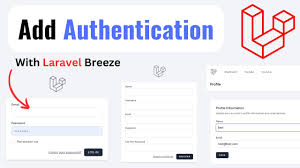


- Implement Client-Side Verification:
- Install a client package (e.g.,
shumonpal/laravel-licence-client) or build custom logic. - Publish configuration and point to your license API endpoint in
config/app-licence.php. - Use the package's middleware (e.g.,
LicencedVirifiedMiddleware) in yourKernel.phpto protect routes.
- Install a client package (e.g.,
This video shows how to create a registration form in Laravel:



- Create Activation/Validation Flow:
- During Setup: Prompt user for key; verify against server to enable features/create database tables.
- On Request: Use middleware to check license on every request, caching results for performance.
This video provides an overview of the authentication system in Laravel:


- Handle License Expiry:
- Restrict features, disable updates, show pop-ups, or revert to basic functionality.
Best Practices
- External API: Keeps your core logic secure and allows for updates/revocation.
- Caching: Cache license status to avoid constant server calls.
- Legal: Consult a lawyer for complex licensing agreements.
This video demonstrates how to create a custom login and registration system from scratch:


Licensing a Laravel app involves creating a system to validate usage, often using an external license server (like
laravel-ready/license-server) or API calls, to check keys against domains/users, restrict features, and manage expirations, typically with middleware for real-time checks and caching for performance. You'll need to build logic for key generation, activation/deactivation, and enforce license rules (e.g., per domain, per user, feature gating) within your application's core logic and routes, ensuring secure communication with your license service. Here's a breakdown of steps and concepts:
1. Choose Your Licensing Model
- SaaS API: Best for cloud-hosted apps; users pay for API access, restricting direct code access.
- Self-Hosted with Key: For distributed apps (like CodeCanyon); users get a key, and your app validates it. This is where packages shine.
This video explains how to implement a license verification system for your Laravel application:
2. Implement Server-Side (License Management)
- Use a Package: Packages like
{Link: laravel-ready/license-server https://packagist.org/packages/laravel-ready/license-server}provide a central system for managing licenses (keys, domains, users, expiry). - Create Your Own: Build a separate Laravel app with an API to manage licenses if you prefer full control.
- Key Generation: Generate unique, secure license keys (UUIDs are good).
- Licensing Logic: Define rules (e.g.,
addLicense($product, 'domain.com', $userId, $days, $isLifetime)).
3. Implement Client-Side (Your Laravel App)
- Client Package: Use a connector package (e.g., shumonpal/laravel-licence-client or create your own) to talk to the server.
- Configuration: Set your license API URL in the client app's config.
- Middleware: Apply a middleware to routes (e.g.,
LicencedVirifiedMiddleware) to check the license on every request or key pages. - Activation/Deactivation: Logic to handle key activation (maybe on first run) and deactivation.
- Feature Restriction: Restrict features (e.g., basic vs. premium) based on license type or expiry.
This video demonstrates how to set up authentication in Laravel:
4. Key Strategies
- Check on Request: Use middleware to intercept requests and verify the license against your server.
- Cache Results: Cache license checks (e.g., for 5 mins) to avoid hitting the server on every request.
- Expiration Handling: Send reminders and restrict access to basic features or disable usage after a grace period.
Example Flow (Self-Hosted)
- User buys your app.
- You generate a key and activate it on your license server for their domain/user.
- User installs the app.
- On first load, the app calls your API with the key.
- API verifies key/domain.
- App uses middleware to check key validity for subsequent requests.
Essential Tip: For commercial distribution, consult a lawyer to draft proper licensing terms (e.g., MIT for Laravel, but your own for your product).